Plan Your Day, One Line at a Time
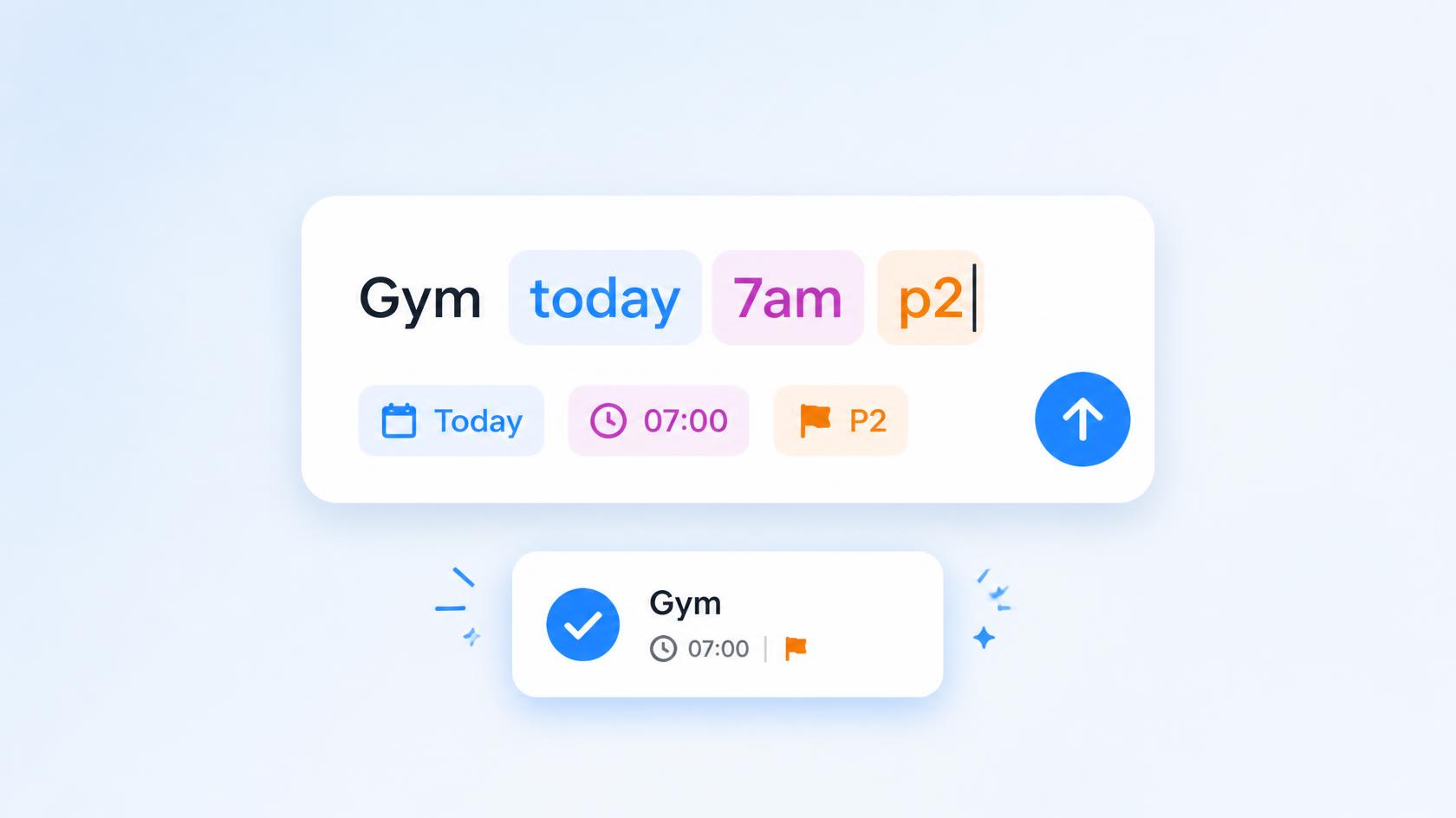
Type your task the way you'd say it. Smart Parsing in Quick Add now reads dates, times, priorities, and reminders on Android and iOS.
Three tasks just left your head. By the time you open an app, pick a date, set a time, and tag a project, you've lost one of them.
Not anymore. Smart Parsing, the part of Quick Add that turns one sentence into a fully organized task, just landed on Android and iOS. The same trick that made planning on Taskito Web feel like texting a very organized friend is now in your pocket.
One line in. A scheduled task out.
Plan your whole day before your coffee gets cold
Open Quick Add and go, one line at a time:
Gym 7am @health
Save. The sheet's already waiting for the next one.
Team standup #Work 9am
Save. Then:
Call dentist today p2 !1hb
Three tasks, each with its date, time, project, tag, priority, or reminder already filled in: no form, no dropdowns, no back-and-forth between fields. That's a fully scheduled morning in about two minutes, typed the way you already think, one task at a time.
Why one line beats ten taps
You capture the thought before it disappears. The gap between "I should remember this" and it being scheduled is one sentence.
You stay in flow. No jumping between a date picker, a priority menu, and a tag field: your thumbs never leave the keyboard.
You move through your list fast. Each task is still one at a time, but with no form to fill out, going from "next task" to "saved" takes seconds, so knocking out a whole morning's worth barely slows you down.
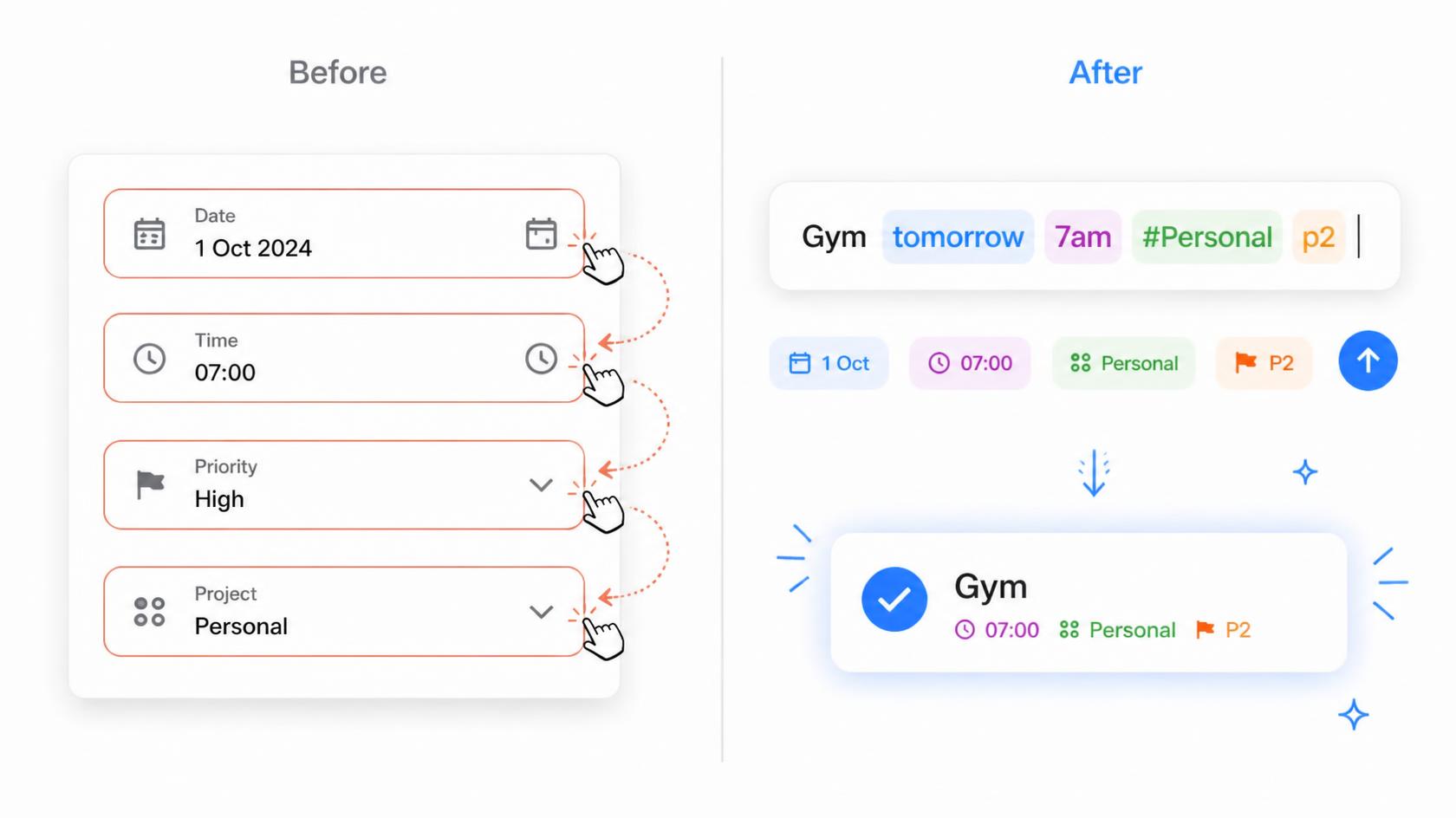
Four fields on the left. One line on the right.
The same brain, now on both phones
Everything Quick Add already did on Taskito Web, reading dates, times, durations, priority, projects, tags, and reminders out of a sentence, now works identically on Android and iOS. Type in English, German, Spanish, French, Portuguese, Japanese, Korean, or Simplified Chinese; Android adds Russian and Ukrainian too. See the Smart Parsing user guide for the full syntax and language list.
Already on the web? The Quick Add guide for Taskito Web is still the place for the browser version.
Do you find Taskito helpful?
Support us by leaving a 5-star review on our app stores

Follow us on social media to get updates & tips about planning and productivity.