How to use a Referral Code in Taskito?
A step by step guide on how to use a referral code in Taskito. A referral code will give you and your friend access to premium features.
A referral code can be used to get access to premium features for a limited period of time. When you successfully redeem a referral code, you and your friend's accounts will get Premium Membership and you would be able to use one or more premium features for free.
Terms & Conditions to use a referral code
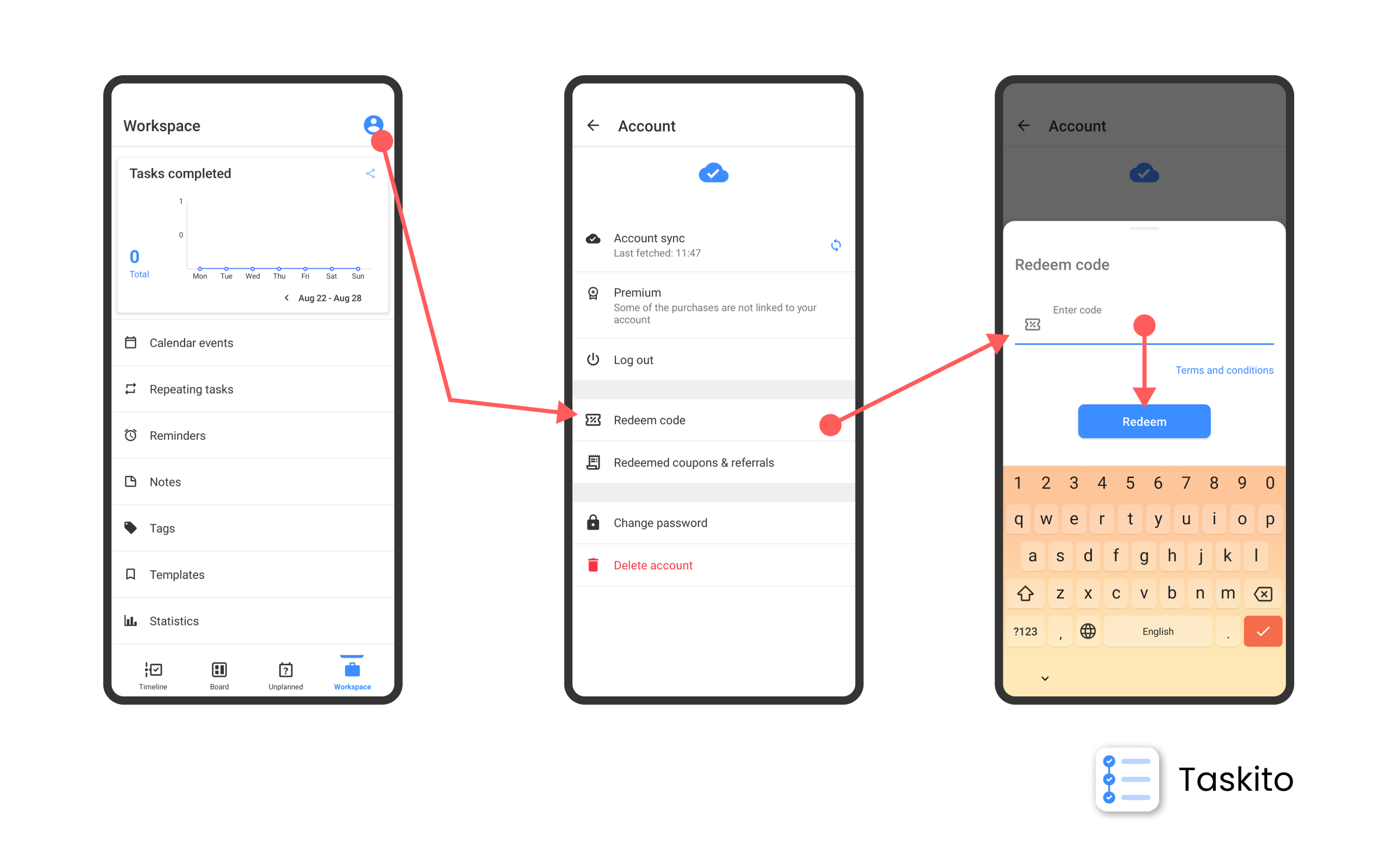
Step by step guide on how to redeem referral code
Redeeming a referral code is straight-forward and here's how you can do it.
Step 0: If you don't have a referral code yet, ask a friend to share their personal code with you. Once you use this code, both of you will get access to premium features.
- You must be logged in to your Taskito account. If you don't have an account with Taskito, here's how you can create an account.
- Once you are logged in, go to Workspace tab.
- In the Workspace tab, you will see an entry point on the top right corner to go to your Accounts page.
- In the Accounts page, tap on Redeem code.
- You will see an input where you can enter a referral code. Double check your code and hit Redeem.
- If you use a code successfully, you will get access to premium features.
- You can go to Redeemed coupons & referrals page to see your active and expired referrals.
Note: There are certain eligibility criteria that are used to check who is eligible to use a referral code. Referral code program is for new users only. If you have created your Taskito account 3 or more days ago, you may not be eligible to use a referral code.
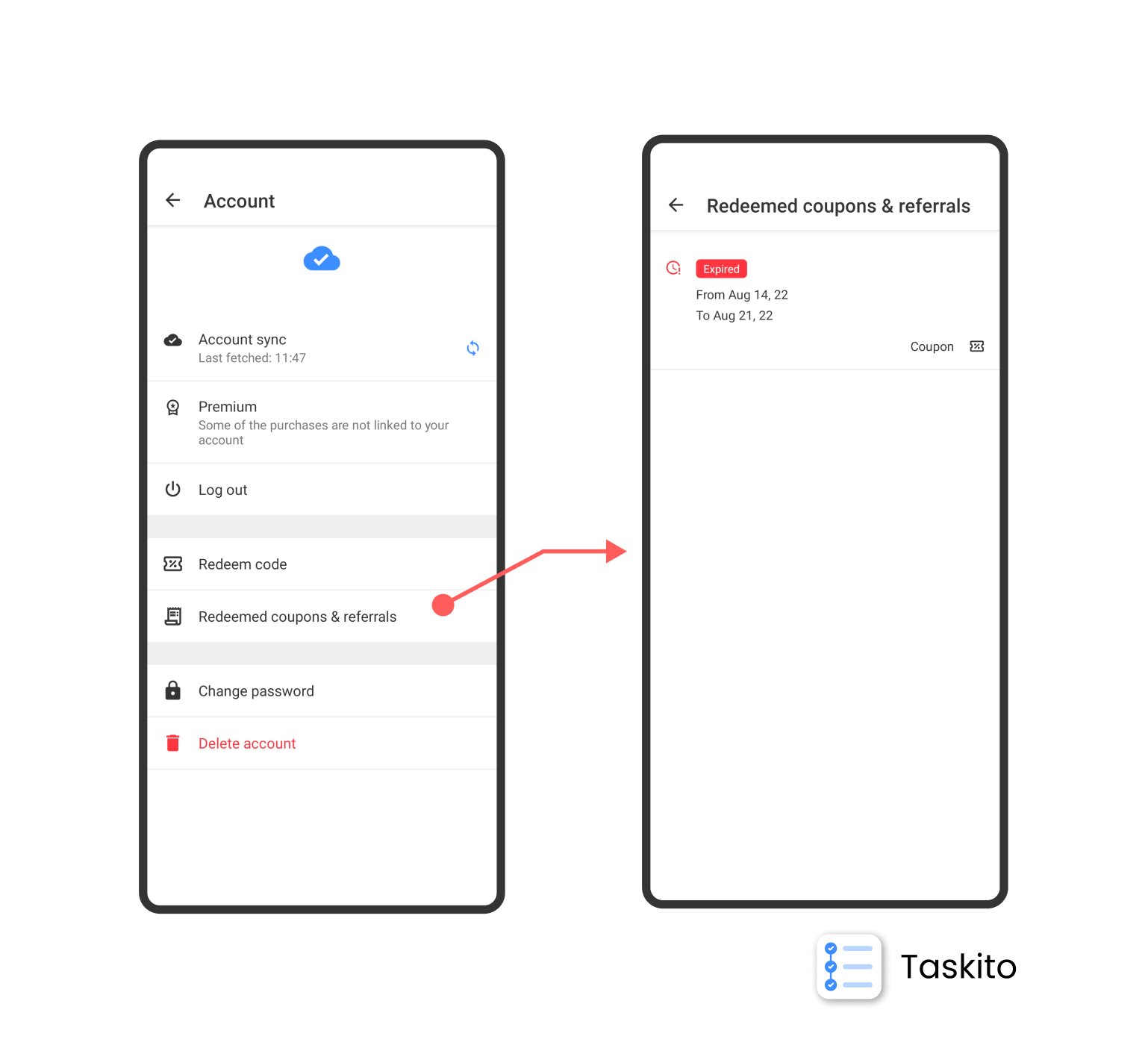
See information about coupons and referrals that you used - active or expired
In 3 easy steps, you can use a referral code and get access to premium features in Taskito. Don't forget go through our simple Terms and conditions page.
Do you find Taskito helpful?
Support us by leaving a 5-star review on our app stores


Follow us on social media to get updates & tips about planning and productivity.