Quick Add with Smart Parsing
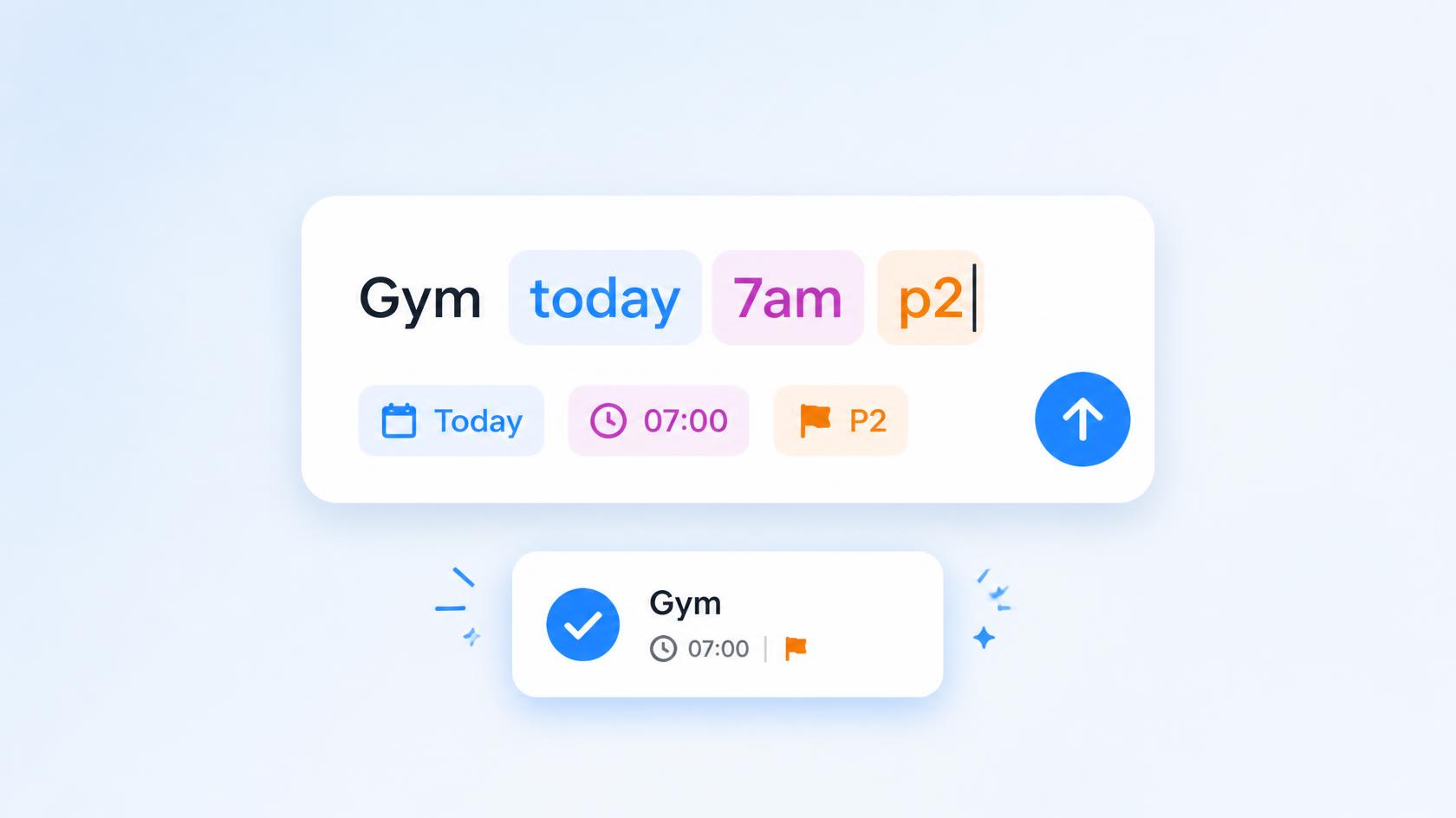
Type a task in one line on Android or iOS. Smart Parsing reads the date, time, duration, priority, project, tags, and reminders from the sentence.
Smart Parsing is the part of Quick Add that reads a whole task from one line. You type it the way you would say it. Taskito pulls out the due date, time, duration, priority, project, tags, and reminders, and leaves the rest as the task name. You do not set each of those in its own field.
Dentist tomorrow at 2pm
That is a task named Dentist, due tomorrow at 2pm. Add more to the same line when you need it: how long it takes, how important it is, which project it belongs to, a tag, or a reminder. The tables below list the English phrases for each of those.
A phrase works only when it matches the language set inside Taskito. If the app is set to English, "tomorrow" counts. The same word in another language does not.
English syntax
Dates and times
| You type | Taskito sets |
|---|---|
| today, tomorrow, yesterday | That day |
| this week, next week | That week |
| Monday, Fri, Saturday | That weekday |
| Dec 25, January 15 | That date |
| at 2pm, at 15:00 | That time |
| tomorrow at 2pm | Date and time together |
Duration
Put for in front of the length.
| You type | Length |
|---|---|
| for 1h | 1 hour |
| for 30m | 30 minutes |
| for 1h30m | 1 hour 30 minutes |
| for 45 min | 45 minutes |
Priority
Add one of these anywhere in the line.
| Code | Priority |
|---|---|
| p1 | Urgent |
| p2 | High |
| p3 | Medium |
| p4 | Low |
Project and tags
| You type | Result |
|---|---|
| #School | Assigns the School project |
| #"Science fair" | Assigns the Science fair project |
| @homework | Adds the homework tag |
| @"study group" | Adds the study group tag |
Typing # or @ also opens suggestions for projects and tags you already have.
Reminders
Start with !. You can add up to three reminders in one line.
Before the due time
| You type | Reminder |
|---|---|
| !10mb | 10 minutes before |
| !2hb | 2 hours before |
| !1db | 1 day before |
| !1d2h5mb | 1 day, 2 hours, and 5 minutes before |
On the due date
| You type | Reminder |
|---|---|
| !10am | 10:00 on the due date |
| !10pm | 22:00 on the due date |
| !9:30 | 9:30 on the due date |
| !14:00 | 14:00 on the due date |
From now
| You type | Reminder |
|---|---|
| !5m | In 5 minutes |
| !2h | In 2 hours |
| !3h30m | In 3 hours 30 minutes |
| !2d | In 2 days |
Examples
Dentist appointment tomorrow at 2pm for 45 min !30mb p1
Due tomorrow at 2pm, 45 minutes long, reminder 30 minutes before, urgent.
Complete homework today @homework #"Science fair"
Due today, with the homework tag, in the Science fair project.
Supported languages
Android includes every language below. iOS includes the same list except Russian and Ukrainian. Portuguese uses Brazilian Portuguese phrases. Chinese is Simplified only: Traditional Chinese is not parsed, and those phrases fall back to English.
| Language | Android | iOS |
|---|---|---|
| English | Yes | Yes |
| Deutsch | Yes | Yes |
| Español | Yes | Yes |
| Français | Yes | Yes |
| Português do Brasil | Yes | Yes |
| 日本語 | Yes | Yes |
| 한국어 | Yes | Yes |
| 简体中文 | Yes | Yes |
| Русский | Yes | No |
| Українська | Yes | No |
Date words, duration words, and reminder words are different in each language. The in-app help sheet shows the set for the language you are using. Each language name in the table links to this guide in that language.
Do you find Taskito helpful?
Support us by leaving a 5-star review on our app stores

Follow us on social media to get updates & tips about planning and productivity.